Guide
Connect Apple Health to ChatGPT
Turn on Developer mode, add HealthSync as a plugin, and ask ChatGPT about your Apple Watch workouts. No export, no file.
What you need
- A ChatGPT Plus, Pro, Business, Enterprise or Edu plan, on the web. Business and Enterprise need an admin to allow Developer mode first.
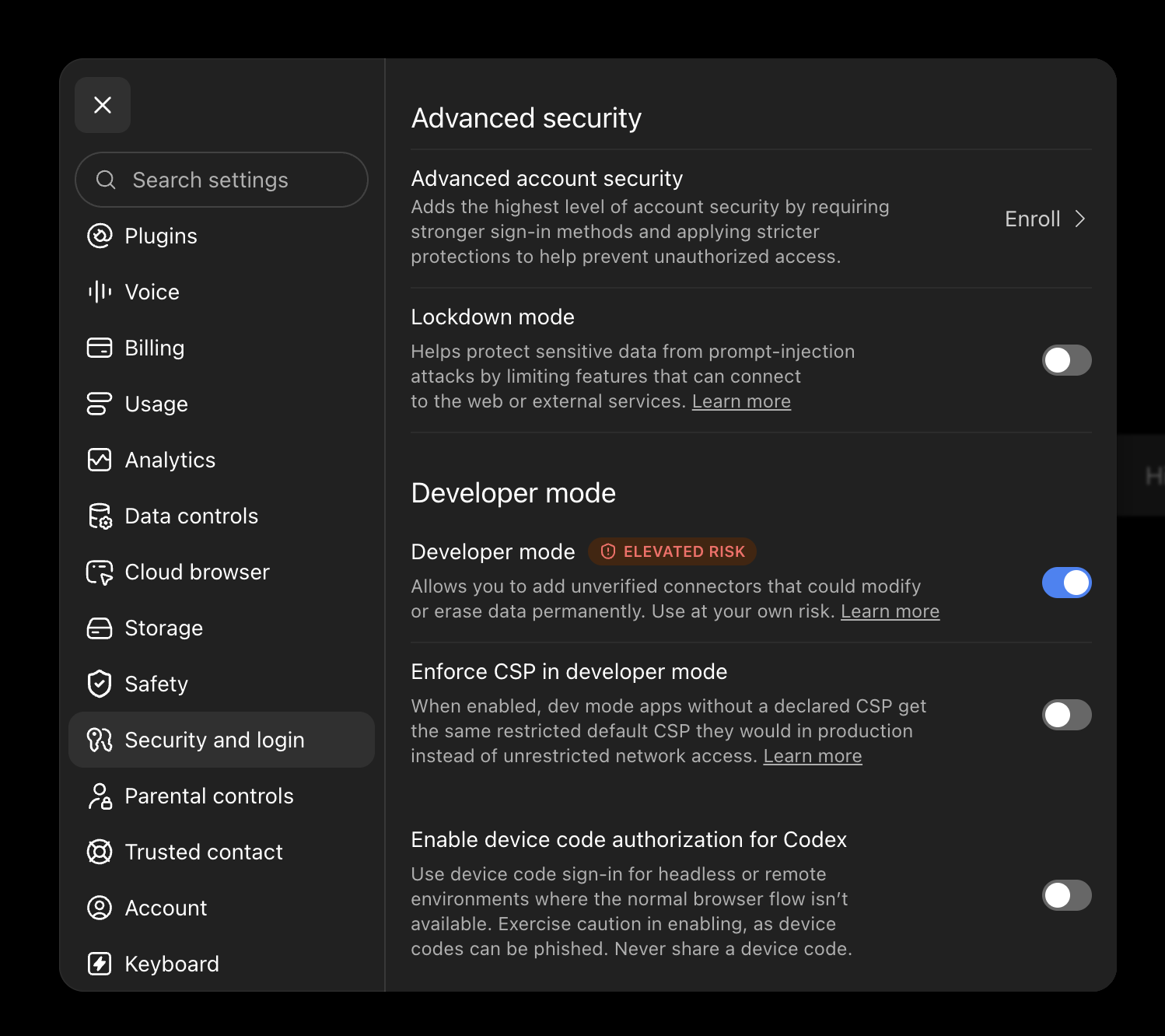
- Developer mode, and it stays on: turn it off and the plugin stops working. ChatGPT labels it "elevated risk" because it "allows you to add unverified connectors that could modify or erase data permanently". HealthSync only reads your workouts, and its three tools are declared read-only, so ChatGPT never asks you to confirm a write.
- The HealthSync app on your iPhone, signed in with Apple, with at least one workout synced.
Step by step
Turn on Developer mode
In ChatGPT, open Settings, then Security and login, and turn on Developer mode, under Advanced security. On some accounts it sits at the bottom of Settings, then Plugins.
Open Plugins
Go to chatgpt.com/plugins and choose the plus button, top right.

Create the plugin
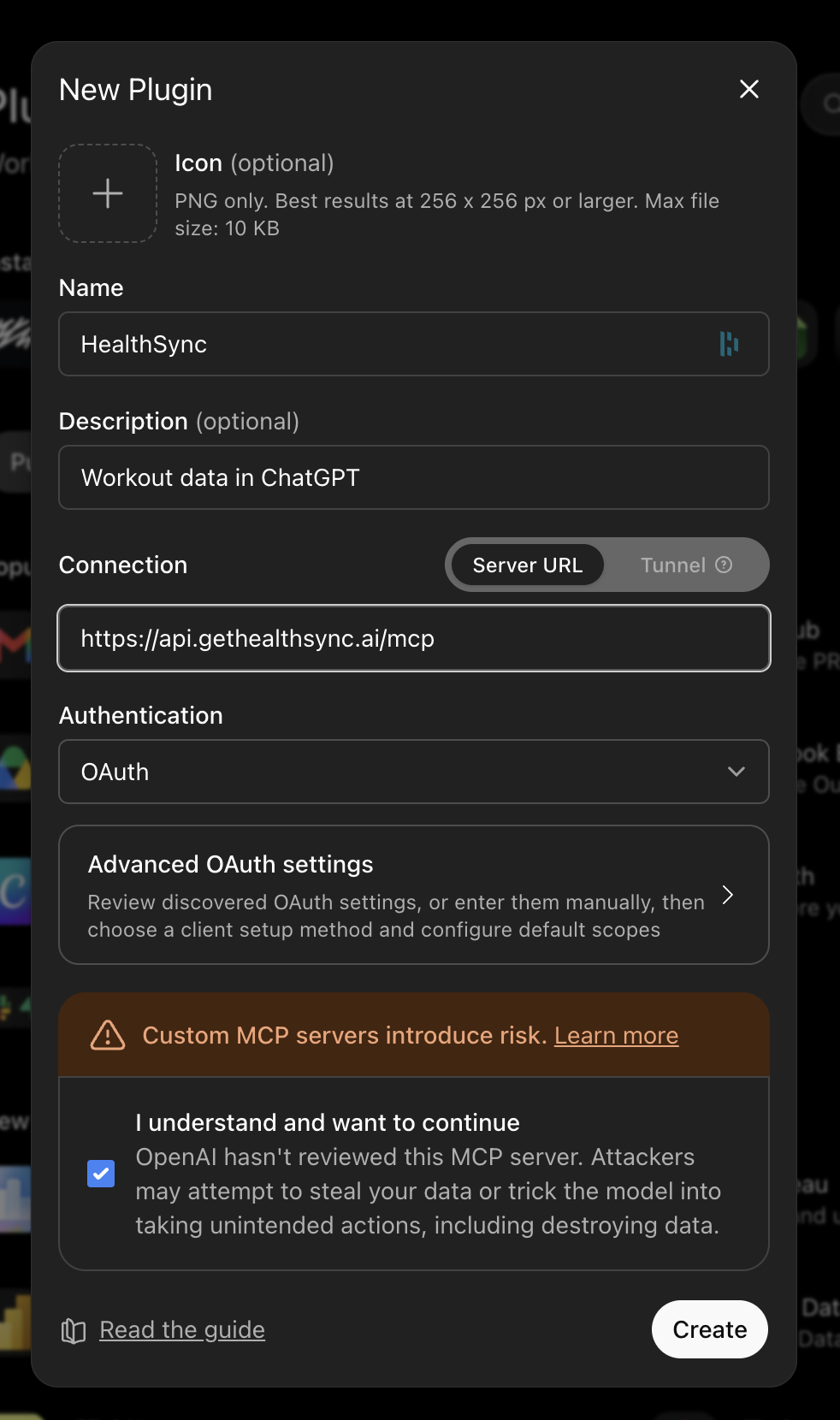
Name: HealthSync. Connection: Server URL, https://api.gethealthsync.ai/mcp. Authentication: OAuth, and leave the advanced OAuth settings alone. Tick "I understand and want to continue" and choose Create.
Sign in with HealthSync
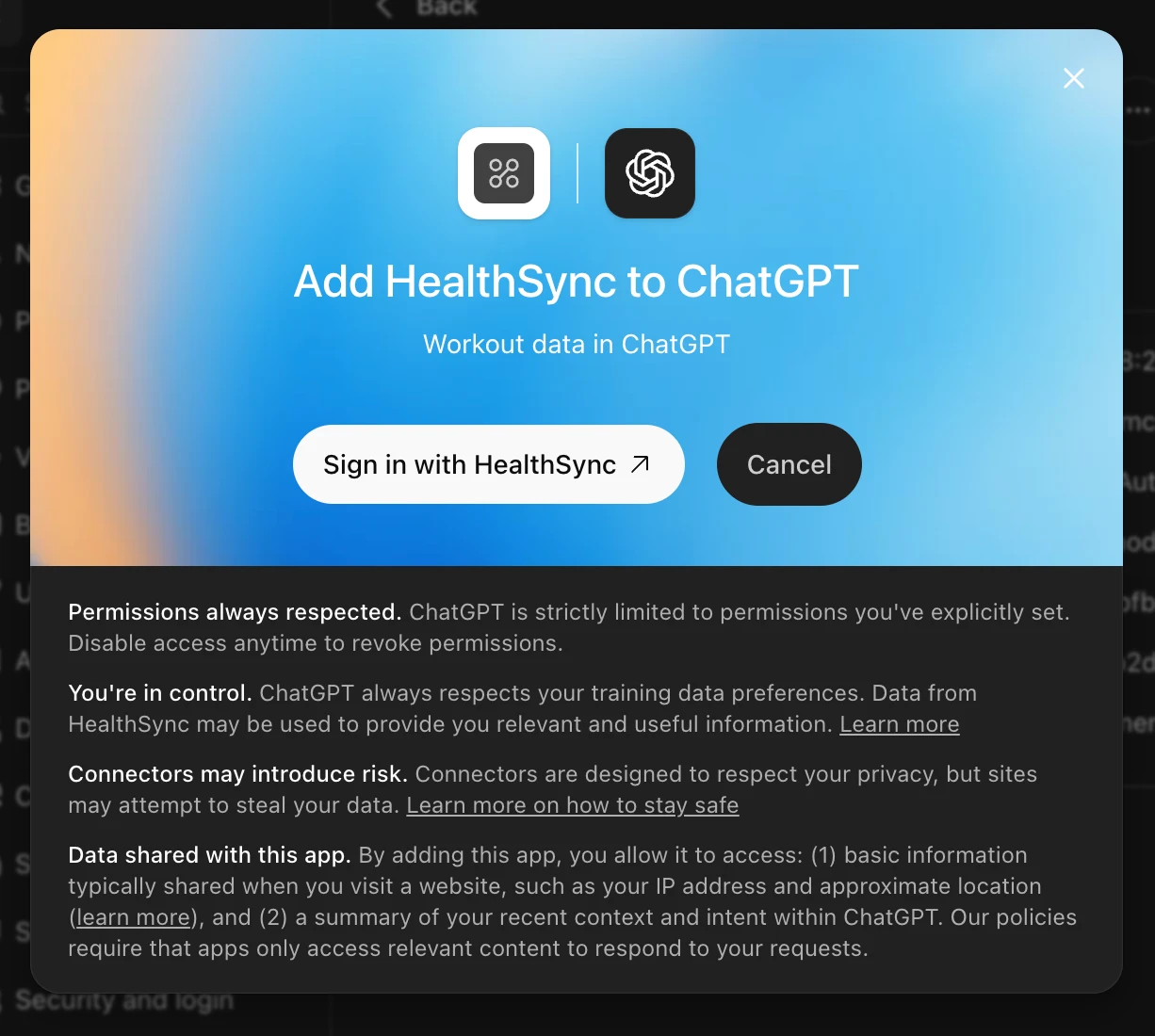
ChatGPT shows "Add HealthSync to ChatGPT". Choose Sign in with HealthSync: nothing is shared until you approve it on your iPhone.
Approve from your iPhone
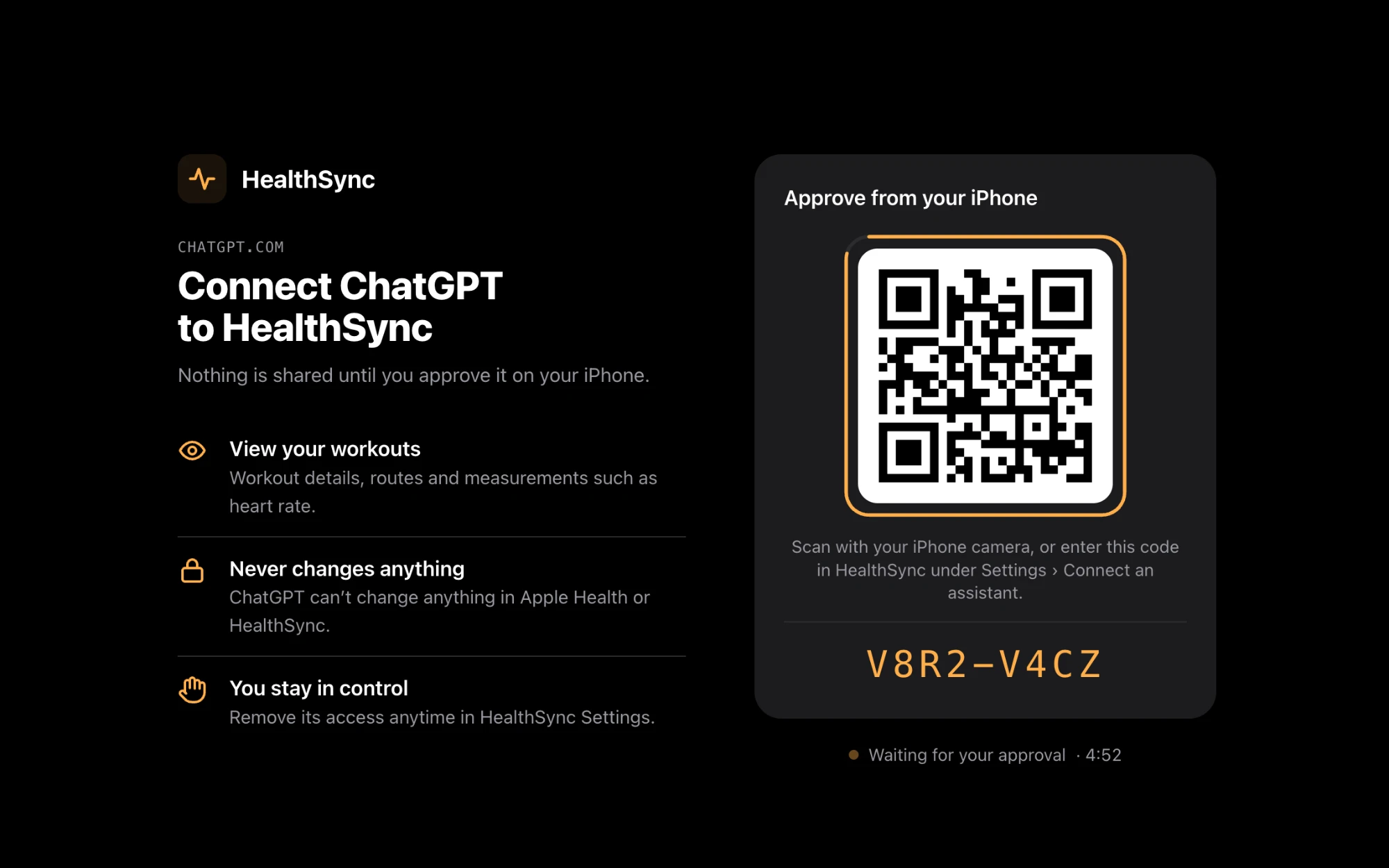
A HealthSync page opens with a QR code and a short code, valid for five minutes. It lists what will be shared: your workouts, read-only. Scan the code with your iPhone camera, or open HealthSync, go to Settings, then Connect an assistant, and type the code.
Allow access
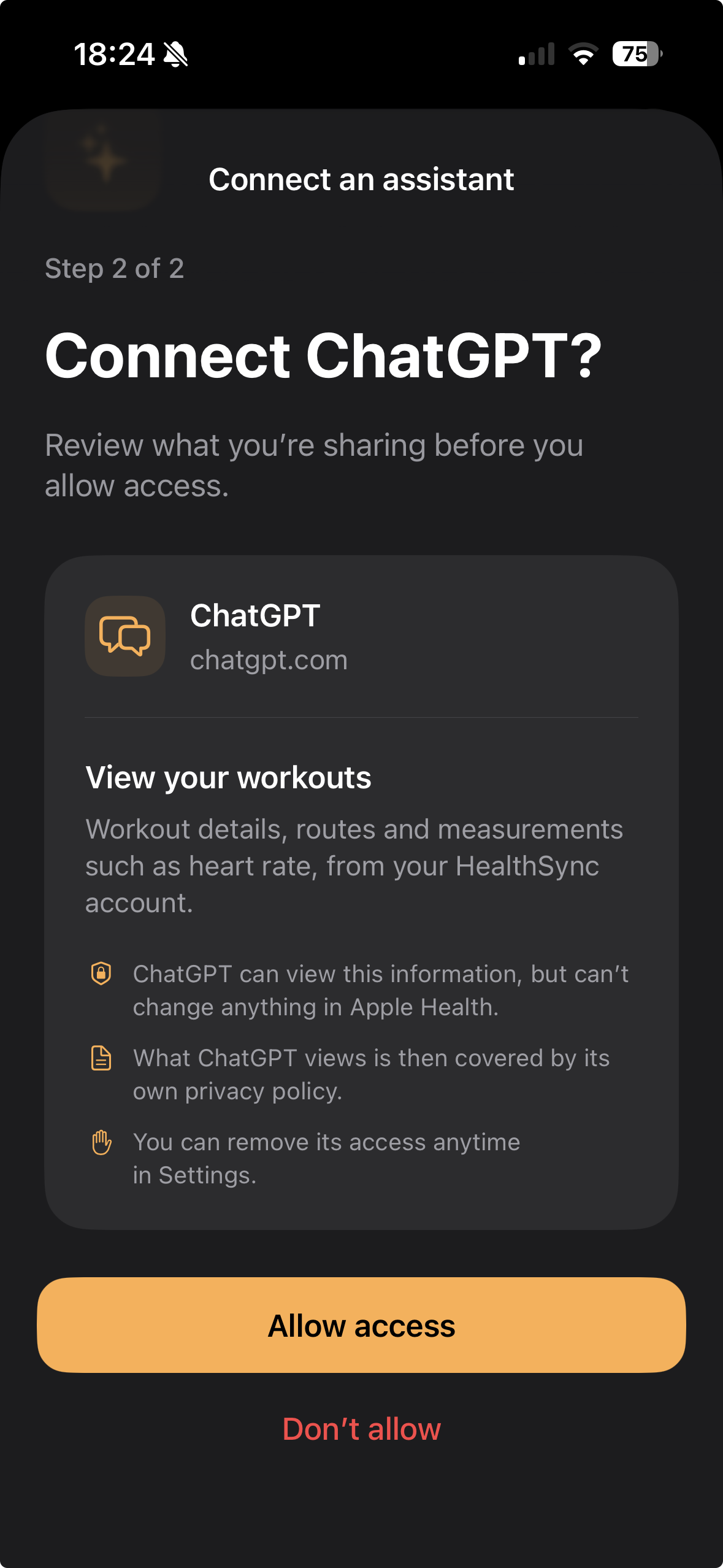
The app shows what ChatGPT will be able to see, and that it cannot change anything in Apple Health. Tap Allow access. Back in ChatGPT, the connection is live.
Ask
In a new chat, pick HealthSync from the tools menu, or type @HealthSync, and ask about a swim. ChatGPT calls get_workout.
Your first question
How even were my 50s in Monday's swim?
healthsync · get_workout 16 laps · 800 m · 50 m pool
Sixteen lengths between 61 and 88 seconds, 72 s median, 22 strokes per length. The structure reads as 5 × 50 on about 50 seconds rest (72, 69, 63, 71, 65), a continuous 200 in 5:09 (78, 70, 88, 72), a 150 in 3:50, three minutes off, then 4 × 50 (61, 75, 65, 73). Length 13, the first of that last set, was your fastest of the day. Heart rate averaged 98 bpm and never passed 137: this was a technique session, not conditioning.
Questions about ChatGPT
Why Developer mode, and can I turn it off afterwards?
ChatGPT only accepts a plugin it hasn't reviewed through Developer mode, and it has to stay on: turn it off and the plugin stops working. It is a ChatGPT setting, not a HealthSync one.
Is this the same as exporting Apple Health data?
No. An export is a file you move once. HealthSync keeps syncing, and ChatGPT reads the samples, not a summary.
Will HealthSync be in the Plugin Directory?
Not yet. Until it is published there, Developer mode is the only way in; once it is, the plugin installs like any other.
Get the app
HealthSync is not on the App Store yet. Leave an address and we'll write when it is.