Guide
Connect Apple Health to Claude Code
One command adds HealthSync as an MCP server in Claude Code. Approve it from your iPhone and ask about your workouts from the terminal.
What you need
- Claude Code installed and signed in.
- The HealthSync app on your iPhone, signed in with Apple, with at least one workout synced.
Step by step
Add the server
Run this in your terminal, not inside a Claude Code session. It registers the server for the current project; add --scope user to have it everywhere.
$ claude mcp add --transport http healthsync https://api.gethealthsync.ai/mcp
Added HTTP MCP server healthsync with URL: https://api.gethealthsync.ai/mcp to local config
File modified: ~/.claude.json [project: ~/Projects/my-project]
Open the MCP panel
Start Claude Code and type /mcp. HealthSync is listed as needing authentication: that is expected, nothing is shared yet.
Manage MCP servers
1 server

  Local MCPs (~/.claude.json [project: ~/Projects/my-project])
❯ healthsync · ⚠ needs authentication
Authenticate
Select healthsync, then Authenticate. Your browser opens.
Healthsync MCP Server

Status:           ⚠ needs authentication
Auth:             ✘ not authenticated
URL:              https://api.gethealthsync.ai/mcp
Config location:  ~/.claude.json [project: ~/Projects/my-project]

❯ 1. Authenticate
  2. Disable
Approve from your iPhone
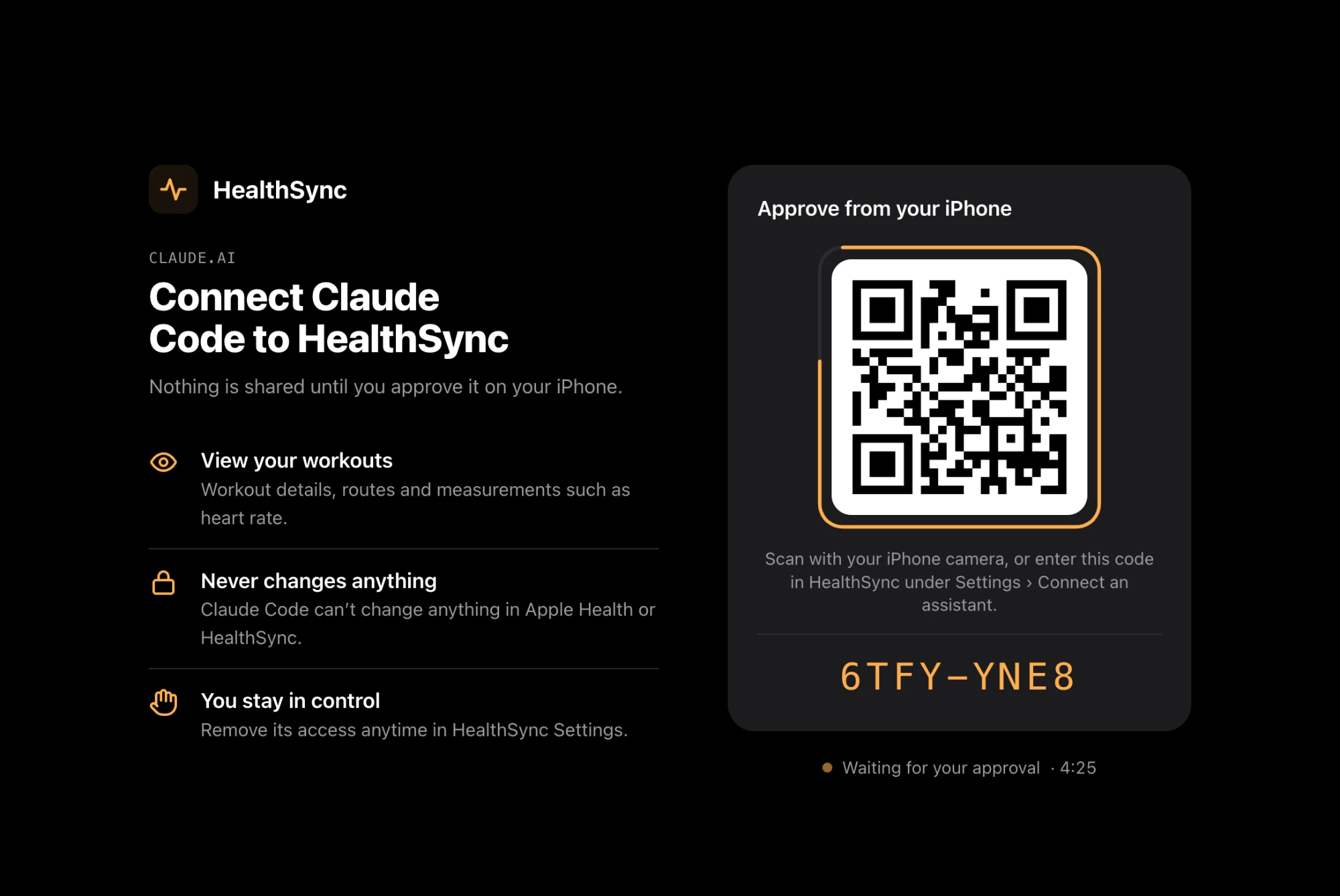
A HealthSync page opens with a QR code and a short code, valid for five minutes. It lists what will be shared: your workouts, read-only. Scan the code with your iPhone camera, or open HealthSync, go to Settings, then Connect an assistant, and type the code.
Allow access
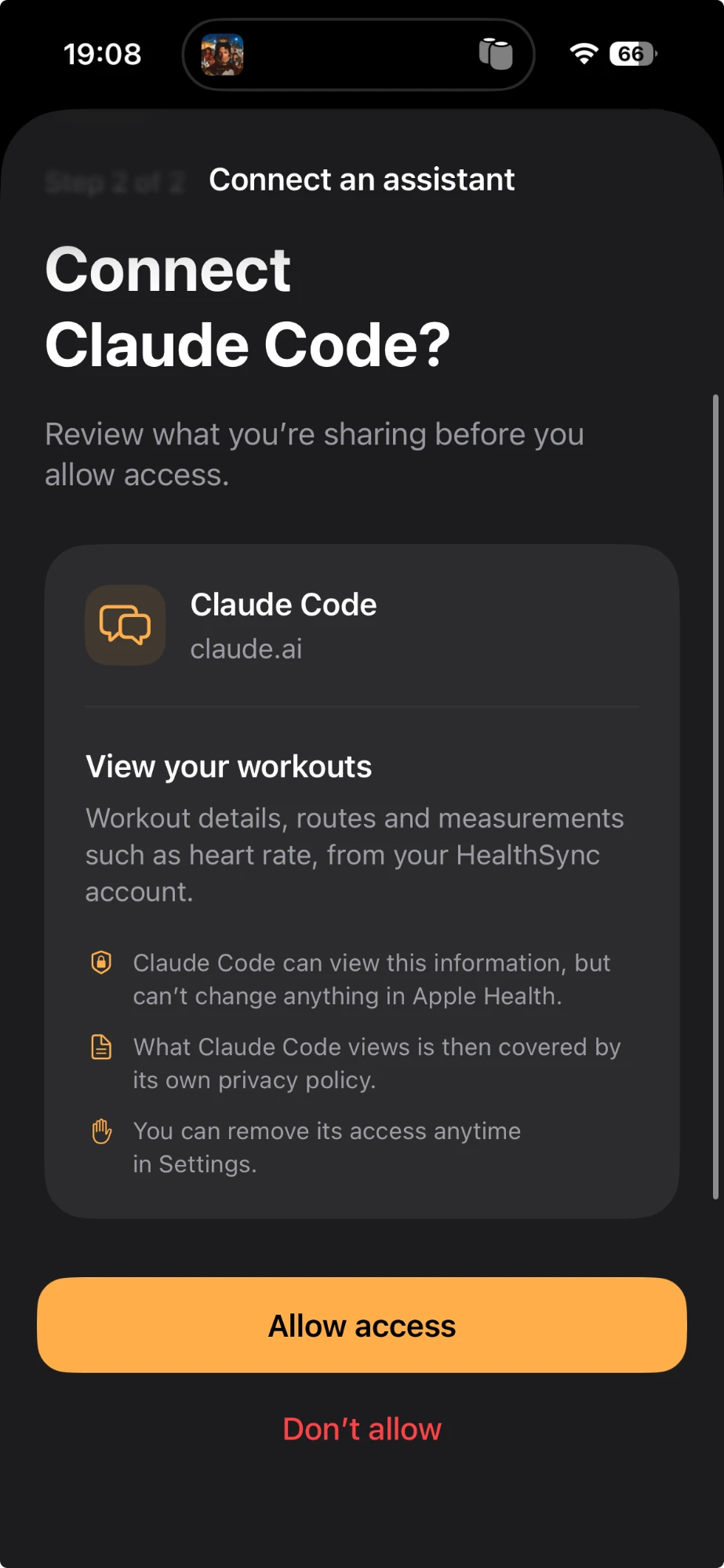
The app shows what Claude Code will be able to see, and that it cannot change anything in Apple Health. Tap Allow access. Back in Claude Code, the connection is live.
Ask
Back in the terminal, ask about a run. Claude Code calls get_workout_series and reads the rows.
Your first question
Did my heart rate drift over the second half of my 10 km?
healthsync · get_workout_series heartRate · runningSpeed · distance · 59 rows
Not really. Second half averaged 146 bpm against 135 in the first, but you also went from 6:09/km to 5:42/km. Heart rate rose 8.5 %, speed rose 8 %: that's pacing, not drift. The one stretch that does drift is km 7 to 9, where you held 5:13/km and heart rate crept from 150 to 154. The last 900 m at about 6:40/km brought it back to 139.
Questions about Claude Code
Which scope should I add it in?
`--scope user` makes it available in every project; the default, `local`, keeps it to the current one. Either works; the approval is the same.
How do I see which tools it exposes?
Type /mcp and open healthsync: list_workouts, get_workout and get_workout_series, with their descriptions.
I already added it on claude.ai. Do I add it again?
No. Connectors added on claude.ai load automatically in Claude Code when you sign in with the same account; /mcp lists them.
Get the app
HealthSync is not on the App Store yet. Leave an address and we'll write when it is.